Best TradingView Indicators & Scripts for Crypto (2026 Guide)
What Are TradingView Indicators & Why They Matter for Crypto
TradingView indicators are analytical tools and overlays that traders apply to charts to interpret market data and price action. These scripts visualize information like momentum, volatility, and trend strength, transforming raw price charts into a clearer picture for making informed decisions. They range from widely-known classics like the Relative Strength Index (RSI) to sophisticated, community-developed custom scripts.
In the highly volatile 24/7 crypto market, these tools are indispensable. Standard market indicators are a good start, but custom TradingView indicators are often designed specifically to handle the sharp price swings and unique behavior of digital assets. They help traders cut through the noise, identify potential trend reversals, find optimal entry and exit points, and ultimately manage risk more effectively in a market that never stops moving.
To use them well, it helps to understand the two primary types. Leading indicators aim to predict future price movements, offering early signals that may come with a higher risk of being false. In contrast, lagging indicators confirm a trend that is already in motion, providing more certainty but potentially later entry points. A balanced trading strategy often involves using a combination of both to confirm signals and build a stronger analytical case before placing a trade.
Standard vs. Custom Script Indicators: Unlocking Pine Script's Power
While nearly every trader starts with the default indicators built into TradingView—like the Relative Strength Index (RSI) or Moving Average Convergence Divergence (MACD)—the platform's true potential is unlocked through custom scripts. These are unique tools built by the community using TradingView's proprietary programming language, Pine Script. Unlike the one-size-fits-all nature of standard indicators, custom scripts are often designed specifically for the high-volatility, 24/7 environment of the crypto market.
This customization is what gives savvy traders an edge. A custom script can combine the logic of three separate indicators into a single, clean visual on your chart, or it might generate entirely new signals based on concepts like market momentum, institutional interest, or on-chain data approximations. These specialized tradingview indicators offer insights that standard tools simply cannot provide.
The Benefits of Custom Scripts
Traders gravitate towards custom scripts for several distinct advantages. They allow you to move beyond the same signals everyone else is watching and find unique opportunities. The primary benefits include:
- Tailored Signals: Many scripts are built from the ground up to interpret crypto's unique market structure, offering signals that are more relevant than generic indicators designed for traditional stock markets.
- Reduced Chart Clutter: Instead of loading your chart with five different indicators, a single well-designed script can consolidate that information into one powerful, easy-to-read tool.
- Creative Strategies: Custom scripts often represent new trading concepts or automated strategies that are not available in the default toolkit, giving you access to cutting-edge analytical methods.
Where to Find Custom Indicators
The best place to discover these tools is directly on the platform. TradingView hosts a massive public library called Community Scripts. Here, thousands of developers and traders share their creations for free. You can search for specific types of trading view indicators, browse by what's popular, or look through the "Editors' Picks" for high-quality, well-documented scripts. This library is the go-to resource for expanding your technical analysis toolkit beyond the basics.
The 7 Best Custom TradingView Indicators for Crypto in 2026
While the standard set of tools on TradingView provides a solid foundation, the real analytical power comes from community-built scripts. These custom indicators are often designed specifically to handle the extreme volatility and unique market dynamics of cryptocurrency. We've sifted through thousands of options to bring you the seven scripts that offer the most actionable insights for crypto traders today. These are the tools that can help you spot trends, identify reversals, and manage risk more effectively than the default options alone.
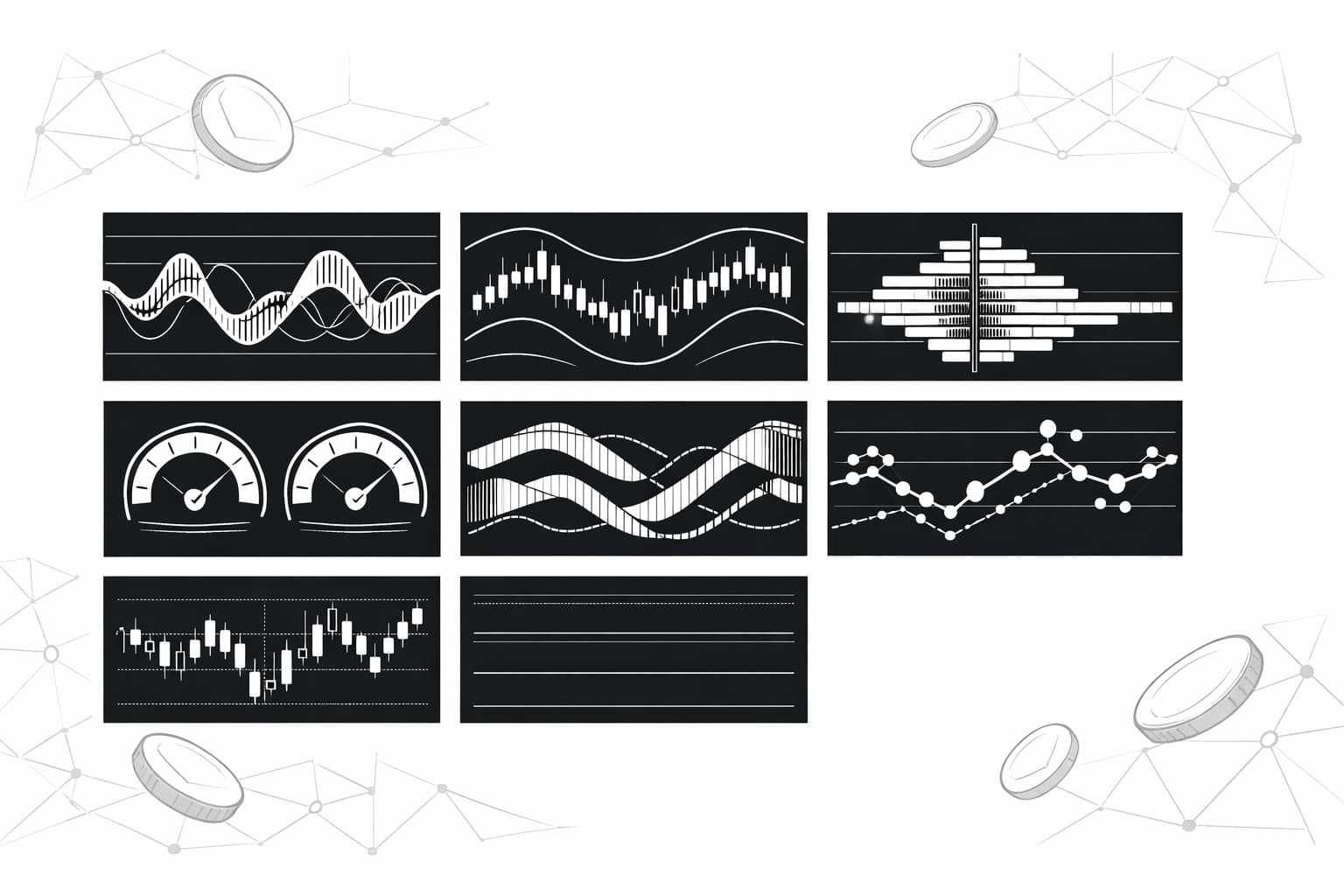
1. WaveTrend with Crosses [LazyBear] — Best for Momentum & Reversals
For traders trying to time entries and exits in crypto's choppy waters, the standard Relative Strength Index (RSI) can often stay in overbought or oversold territory for extended periods, giving false signals. The WaveTrend with Crosses indicator, created by the prolific script author LazyBear, offers a more sensitive alternative. It uses moving averages to analyze price and can identify turning points with remarkable accuracy. When the green WaveTrend line crosses above the red signal line, it suggests building bullish momentum. Conversely, a cross below signals potential bearish momentum.
What makes this one of the best TradingView indicators for crypto is its ability to pinpoint exhaustion points in sharp trends. The script plots overbought and oversold levels, but the signals are generally cleaner and less prone to noise than RSI. For scalpers and swing traders, the green and red dots that appear at cross points provide clear, visual cues for potential entries or exits, helping to capitalize on the rapid price swings common in altcoin markets.
2. SuperTrend — Best for Trend Following
As its name implies, SuperTrend is a premier tool for identifying and riding a dominant market trend. Instead of appearing in a separate pane like an oscillator, this indicator overlays directly onto your price chart, making its signals incredibly easy to interpret. It calculates its line based on the Average True Range (ATR), which means it automatically adjusts for market volatility. When the price is above the SuperTrend line, it turns green, signaling a clear uptrend. When the price falls below the line, it turns red, indicating a downtrend.
For crypto traders, this is an excellent tool for reducing emotional decisions. The rule is simple: consider long positions when the indicator is green and short positions when it's red. The line also acts as a dynamic level of support or resistance, providing a logical place for a trailing stop-loss. This removes the guesswork from trend trading and helps you stay in a profitable move for longer without getting shaken out by minor corrections.
3. Market Cipher B — Best All-in-One Indicator Suite
Market Cipher B is one of the most recognized and powerful custom indicator suites available, though it often comes with a subscription fee. It combines multiple data points into a single, detailed oscillator below the main chart. Its core components include blue "momentum waves" that track the flow of money, yellow VWAPs (Volume-Weighted Average Price), and various symbols like green and red dots that signal potential trend shifts or trigger points. It's an entire trading system condensed into one script.
This indicator is designed for serious traders who want a deep, multi-layered view of the market. The momentum waves are particularly useful for spotting divergences, while the blood diamond and green dot symbols can signal major tops and bottoms. While its complexity can be intimidating for beginners, traders who invest the time to learn its signals find it to be an invaluable tool for confirming their analysis and gaining a more complete picture of market dynamics.
4. FVG (Fair Value Gaps) Indicator — Best for Price Action Traders
Price action traders believe that all necessary information is contained within the price chart itself. One key concept in this methodology is the "Fair Value Gap" (FVG), also known as a market imbalance. An FVG is a three-candle pattern where there is a significant gap between the first candle's high and the third candle's low, indicating an aggressive move that left inefficiencies in the market. This custom script automatically identifies and plots these zones on your chart, saving you from having to find them manually.
Why is this important for crypto? Price has a natural tendency to revisit these inefficient areas to "fill the gap" before continuing its trend. For traders, these automatically drawn FVG zones become high-probability targets for entries or take-profit levels. When price retraces into a bullish FVG, it can act as a strong support zone for a long entry. This script turns a sophisticated trading concept into a simple, visual tool.
5. VuManChu Cipher B + Divergences — Best for Divergence Trading
Divergence is one of the most powerful signals a trader can find, often preceding a major trend reversal. It occurs when the price of an asset makes a new high or low, but a momentum oscillator fails to do the same. This indicates that the momentum behind the current trend is fading. The VuManChu Cipher B + Divergences script is one of the best trading view indicators for automatically detecting these occurrences. It scans for both bullish and bearish divergences and plots them directly on the oscillator pane.
This automation is a game-changer in the fast-paced crypto market. Instead of manually comparing price peaks and troughs with the indicator's peaks and troughs, the script does the heavy lifting for you. It highlights regular and hidden divergences, providing early warnings that a trend might be losing steam or about to reverse. For traders who base their strategy on catching trend reversals, this script is an essential addition to their toolkit.
6. Volume Profile Visible Range (VPVR) — Best for Identifying Support & Resistance
Traditional volume is displayed as bars at the bottom of a chart, showing how much was traded over time. The Volume Profile Visible Range (VPVR) indicator takes a different approach: it shows how much volume was traded at specific price levels. It displays a horizontal histogram on the y-axis of your chart, revealing the price points where the most significant trading activity has occurred. The longest bar on the profile is the Point of Control (POC), which represents the price with the highest traded volume and acts as a powerful magnet for price.
For crypto traders, VPVR is an incredibly effective way to identify true support and resistance. Areas with high volume (High Volume Nodes) indicate zones of price agreement and strong support/resistance. Conversely, areas with low volume (Low Volume Nodes) represent inefficient price levels that the market tends to move through quickly. This helps in setting precise stop-losses and take-profit targets when trading specific assets like Ethereum, giving you an edge over those relying on simple horizontal lines.
7. EMA Cross (e.g., 21/50) with Alerts — Best for Simple Signal Generation
Sometimes, the simplest strategies are the most effective. An Exponential Moving Average (EMA) cross is a fundamental trend-following strategy: when a shorter-term EMA crosses above a longer-term EMA, it's a bullish signal, and vice versa. While TradingView allows you to plot multiple EMAs by default, a custom EMA Cross script adds one important feature: automated alerts. You can configure the script with your preferred EMA lengths (the 21/50 is a popular combination for swing trading) and set up an alert that notifies you the moment a cross occurs.
This simple automation is invaluable for crypto traders who can't be glued to their screens 24/7. You can receive notifications via email, app push, or webhook, allowing you to react to significant trend changes without having to manually monitor dozens of charts. It’s a foundational tool that automates a core part of a disciplined trading plan, ensuring you never miss a potential entry or exit signal based on your chosen strategy.
How to Add Custom Indicators to Your TradingView Chart
Now that you're familiar with some of the most effective custom scripts for crypto, the next step is getting them working on your screen. The process is straightforward, and once you do it a few times, it becomes second nature. Finding and applying these powerful community-built TradingView indicators only takes a minute. Let's walk through the exact steps to add any custom script to your personal chart setup.
Follow this simple guide to unlock the full potential of community-driven analysis:
- Open a Crypto Chart: Begin by opening the TradingView chart for the asset you want to analyze, such as BTC/USD or ETH/USD. This is your canvas for technical analysis.
- Find the 'Indicators' Button: Look at the top toolbar of your chart window. You will see a button labeled "Indicators," often next to the timeframe selection. Click on it to open a new window.
- Handle to 'Community Scripts': The popup window will display several categories of indicators. The default tab is usually 'Built-ins.' You need to click on the tab labeled "Community Scripts" to access the vast library of user-created tools.
- Search for Your Desired Indicator: Use the search bar within the Community Scripts tab to find a specific indicator by name. You can type in any of the names we reviewed earlier, like "VuManChu Cipher B" or "MarketGod."
- Click to Add It: Once you find the script you want, simply click on its name in the search results. The window will close, and the indicator will immediately appear on your chart, ready for you to configure and use.
That's all there is to it. You can repeat this process to layer multiple custom trading view indicators, creating a unique and powerful analytical dashboard tailored specifically to your crypto trading strategy.
Choosing the Right Indicators for Your Crypto Trading Strategy
Now that you have a list of powerful custom scripts, the next step is to integrate them into a coherent trading system. There is no single "best" indicator that works for every trader in every market condition. The goal is not to find a magic bullet, but to build a toolbox that provides clear, actionable signals based on your specific strategy and risk tolerance.
A common and effective approach is to seek confluence by combining different types of indicators. For instance, you might pair a trend-following indicator, like a custom moving average ribbon, with a momentum oscillator. The trend indicator gives you the overall market direction, while the oscillator helps you time entries and exits by identifying overbought or oversold conditions. Before risking any capital, thoroughly backtest your combination of TradingView indicators on historical data to validate their effectiveness and understand their potential drawdowns. Many pro trading tools offer advanced backtesting features for this very purpose.
Avoid Analysis Paralysis
One of the biggest mistakes new traders make is cluttering their charts with too many indicators. When your screen is covered in a dozen different lines, histograms, and oscillators, you're more likely to find conflicting signals than clarity. This "analysis paralysis" can cause you to hesitate on good trades or enter bad ones out of confusion. Stick to two or three primary trading view indicators that complement each other and serve a distinct purpose in your system. A clean chart leads to decisive action.
Combine with Fundamental Analysis
Technical analysis is powerful, but it doesn't operate in a vacuum. The most successful crypto traders use indicators to time their entries and exits within the context of the broader market environment. Always stay aware of the fundamentals driving a project and the major macro events that impact crypto prices. An indicator might flash a strong buy signal, but if it's right before a major regulatory announcement or a critical network upgrade, the technical signal could easily be invalidated. Combining technical insight with fundamental awareness provides a much stronger foundation for your trading decisions.
Frequently Asked Questions
- Which is the best indicator in TradingView?
- There is no single 'best' indicator, as the most effective one depends on your personal trading strategy, timeframe, and risk tolerance. Traders often achieve better results by combining indicators, such as using the Relative Strength Index (RSI) for momentum alongside Moving Averages to confirm the primary trend direction.
- What are the big 3 indicators?
- Three of the most widely used technical indicators are Moving Averages (SMA/EMA) for identifying trends, the Relative Strength Index (RSI) for measuring momentum and overbought/oversold conditions, and the MACD. The MACD is a versatile tool that helps traders spot changes in both momentum and trend direction.
- Which indicator has 100% accuracy?
- No trading indicator is 100% accurate. All indicators are based on historical price data and can produce false signals in certain market conditions. They are tools for assessing probability, not certainty. Always use indicators in conjunction with a sound risk management plan to protect your trading capital from significant losses.
- What is the 3-5-7 rule in trading?
- This isn't a universal rule but a personal guideline for managing trades. One interpretation is to take profits at 3%, use a 5% trailing stop to protect gains once a trade is profitable, or cut any losing trade that reaches a 7% loss. It provides a simple framework for discipline.
Sources
Author

Crypto analyst and blockchain educator with over 8 years of experience in the digital asset space. Former fintech consultant at a major Wall Street firm turned full-time crypto journalist. Specializes in DeFi, tokenomics, and blockchain technology. His writing breaks down complex cryptocurrency concepts into actionable insights for both beginners and seasoned investors.